


Tags
Share
If you use AEM as a CMS for your site, one day you will need to think about securely storing your sensitive data like passwords. In order to keep your data secure, you can use the CryptoSupport service that comes with AEM. CryptoSupport uses unique keys to decrypt/encrypt data for each AEM instance, but it’s not convenient for developers to decrypt the data for each local or test instance.
Fortunately, AEM has ways to replicate the keys (HMAC and Master files) throughout your AEM instances. The process is well documented on the Adobe site, but here are some issues you can come across.
Different Storage
First, there might be different storage systems (JCR or filesystem) for the encryption files that might be configured even for the same AEM version. The configuration can be found directly on the filesystem.
To find it, you just need to follow three simple steps:
1. Open Crypto Support bundle information using a path suffix system > console > bundles > com.adobe.granite.crypto
2. Get the bundle ID:
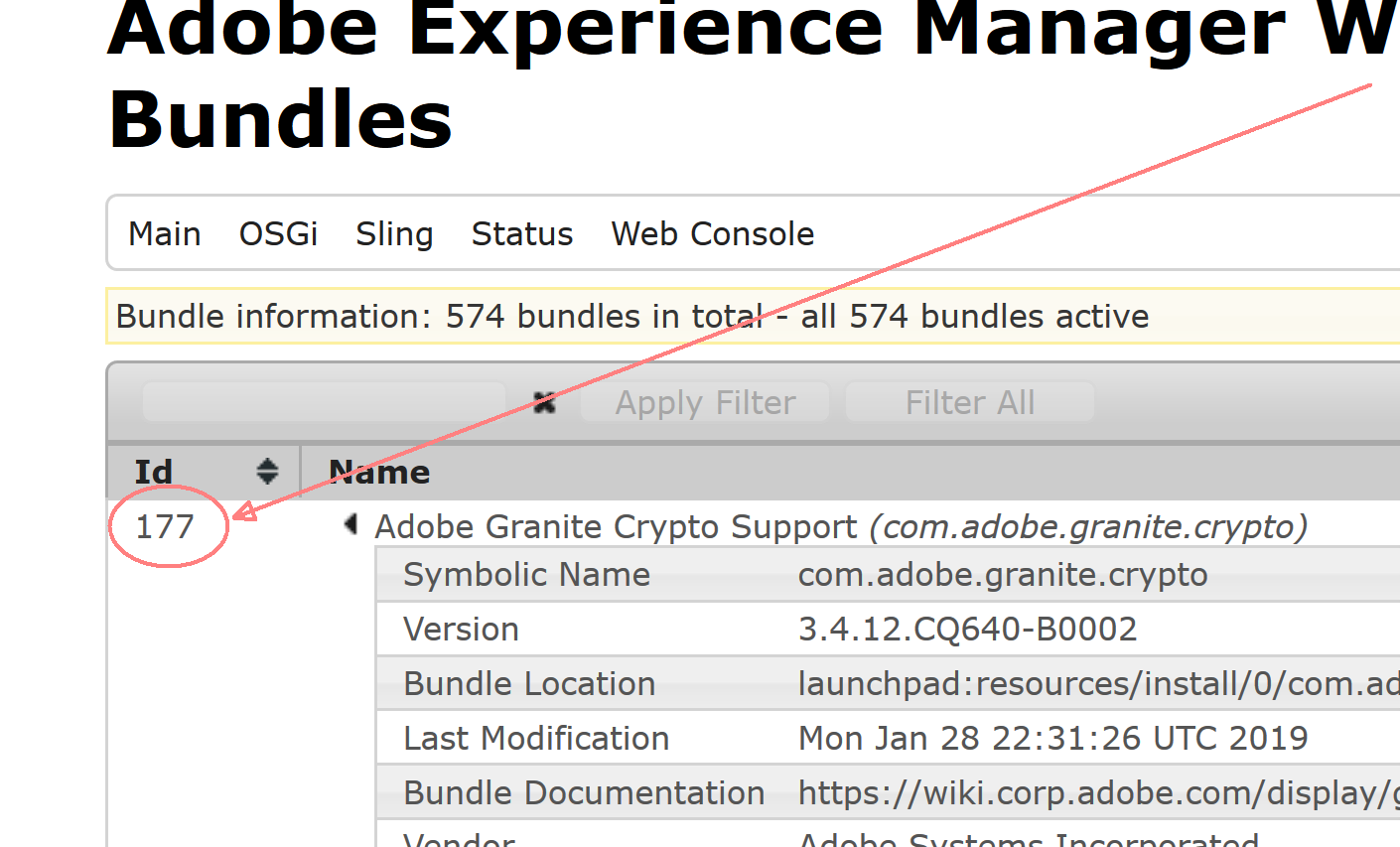
3. Navigate to the AEM folder on the filesystem and then to crx-quickstart > launchpad > felix > bundle[Id] > data, where [Id] is the bundle Id from the previous step.
Here, there is a storage file, and the file contains just one line with the storage type:
- Bundle: The crypto files are taken from the file system
- JCR: The crypto files are taken from the JCR
So, if your replicated files don’t work, the issue could be in the type of configured storage.
An important note before we move on: you can easily copy the HMAC and master files from the filesystem to a package for installing to AEM and vice versa.
Pre-existing Encrypted Data
Also, you can run into trouble if you already have some encrypted data, particularly in a truststore. For example, if you have SSO/SAML integration, it will stop working after the replication. Fortunately, this can be resolved just by re-encrypting keystore passwords—the passwords created during keystore creation.
For our specific case, we have two key stores that are used for SAML integration:
- Truststore:
etc > truststore - Authentication service user, usually called
authentication-service:home > users > system > authentication-service > keystore
The property with passwords is named “keystorePassword”. You need to protect the passwords and update the properties in both locations. The password protection can be done on another instance with the same key.
One More Type of Issue
Finally, you can break the AEM login during key replication if something goes wrong and you have already restarted AEM. In this case, the commands below can help you to troubleshoot and restore your AEM:
- Get Crypto bundle id:
curl -u admin:[password] http://[host]:[port]/system/console/bundles/com.adobe.granite.crypto.json- Print the
keyfiles:
curl -u admin:[password] http://[host]:[port]/etc/key.xml- Restart Crypto Service:
curl -u admin:[password] http://[host]:[port]/system/console/bundles/com.adobe.granite.crypto.jcr -F action=restart -o -I -L -s -w "%{http_code}" -v- Install a package with the
keyfiles:
curl cmd=upload -u admin:[password] -F file=@"[package file]" -F name="[package name]" -F force=true -F install=true http:// [host]:[port]/crx/packmgr/service.jsp -o -I -L -s -w "%{http_code}" -v- Update keyPassword:
curl -u admin:admin -FkeystorePassword={[protected_password]} http://localhost:4502/[pass to a keystore]
Author: Peter Zhuravlev