


Tags
Share
By default, only the “Simple Fragment” model is available in AEM to create a Content Fragment (CF) ( > libs > settings > dam > cfm > templates > simple). It has only one RTE field called “Main,” but sometimes we may need something more complex. In this article, we’ll take a look at how to create a custom AEM Content Fragment Model.
Setup
AEM Content Fragment Models, the data schemas of Content Fragments, must be enabled via AEM’s Configuration Browser, which allows Content Fragment Models to be defined on a configuration-by-configuration basis.
To enable content fragment models, you need to:
1. Enable the use of Content Fragment Models in the Configuration Browser:
a. Go to Tools -> General -> Configuration Browser b. Create a new configuration
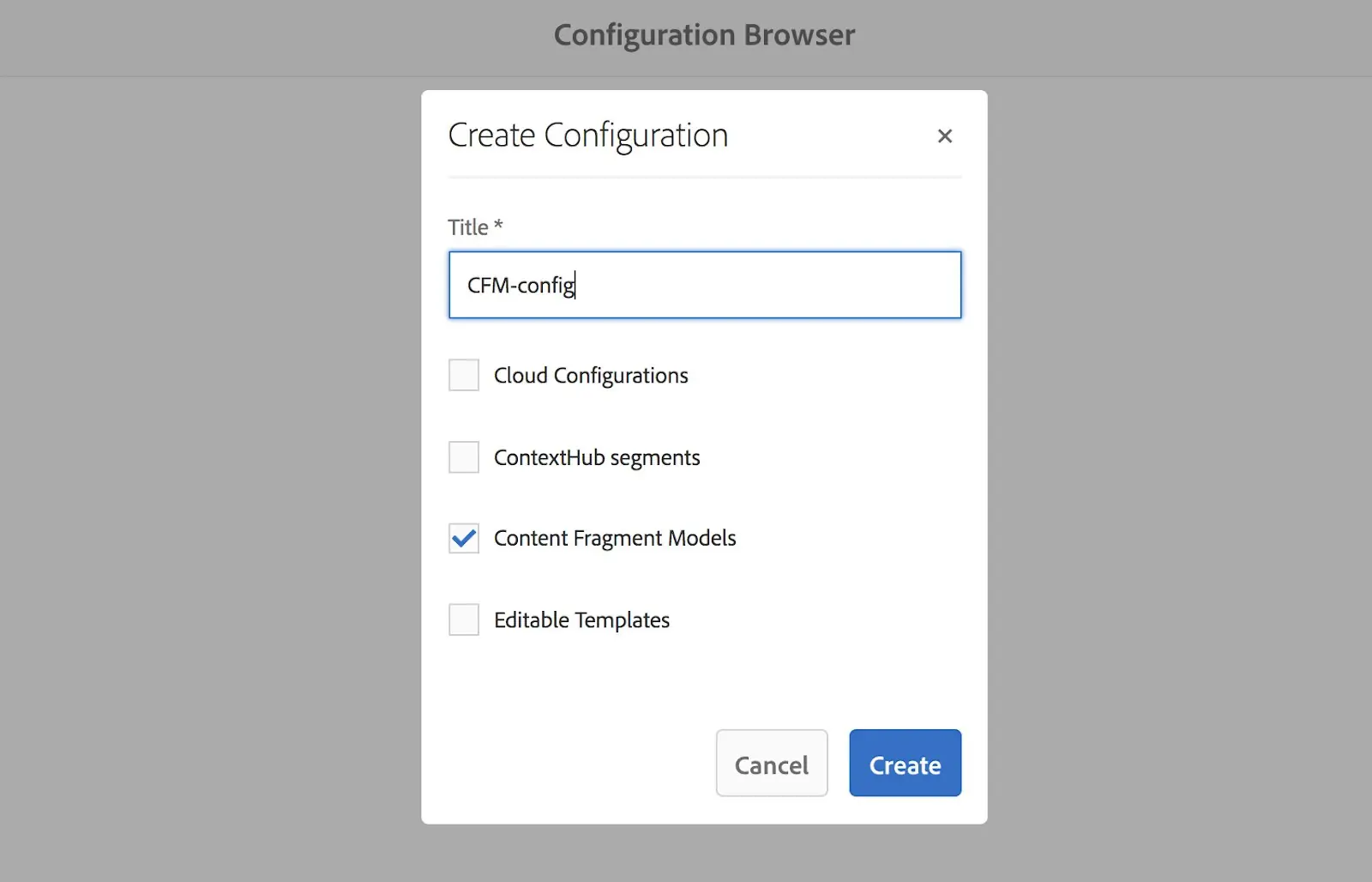
2. Apply the configuration to your Assets folder:
a. Create a new Folder for your fragments called “Content Fragments” b. Go to folder properties -> Cloud Services -> apply newly created cfm-config

Custom Model
Let’s create a simple model to describe a location. It will have the following fields:
1. Country 2. Phone Number 3. Email 4. Address
1. Go to Tools -> Assets -> Content Fragment Models 2. Select cfm-config 3. Click Create -> Enter Title “Location”

Now you can customize your model. In the bar on the right, you’ll see available field types. You can just drag and drop them, then configure field names, labels, default values, etc.
The resulting model will be like this:

Now you can create a CF based on your model:
1. Go to your folder for Content Fragments: > content > dam > content-fragments 2. Click Create Content Fragment 3. Select “Location” model 4. Fill the fields -> Save

It’s easy to create your data patterns using Content Fragments. In future articles we’ll take a look on how to use them on a page.
Author: Iryna Ason